Macro tracker for homemade recipes.
Plan homemade meals around
your daily targets.
CraveSmart is a free iPhone macro tracker built around the recipes you cook. Add a recipe once, see its macros per serving, then fit a serving to what you have left today.

How CraveSmart works
Three steps, using the recipes you already make.
- 1
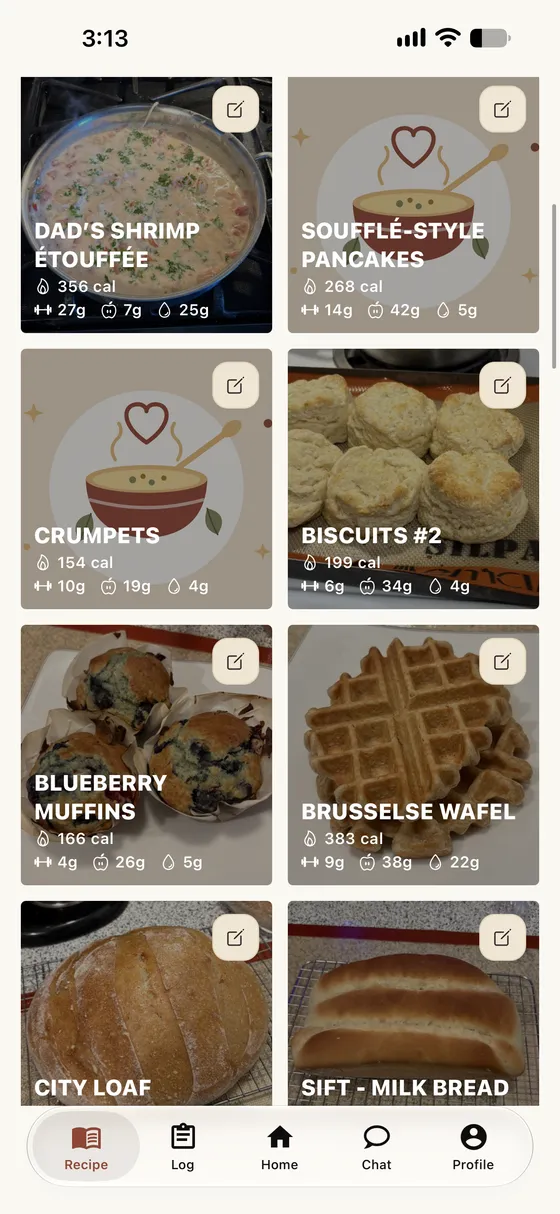
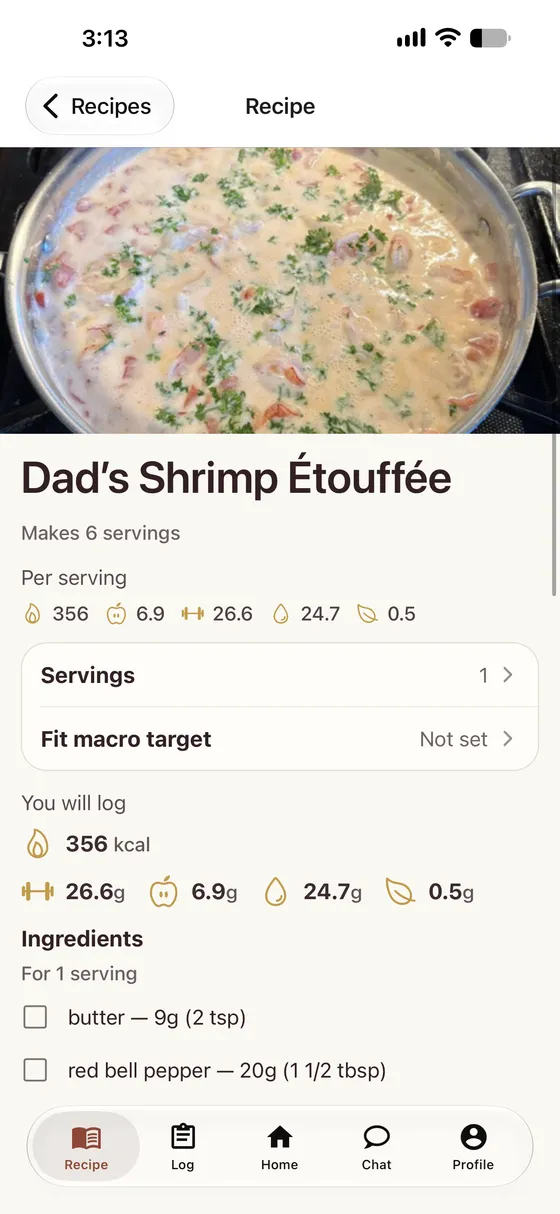
Add a homemade recipe you already make
Save the ingredients and servings once. CraveSmart shows the macros per serving.
- 2
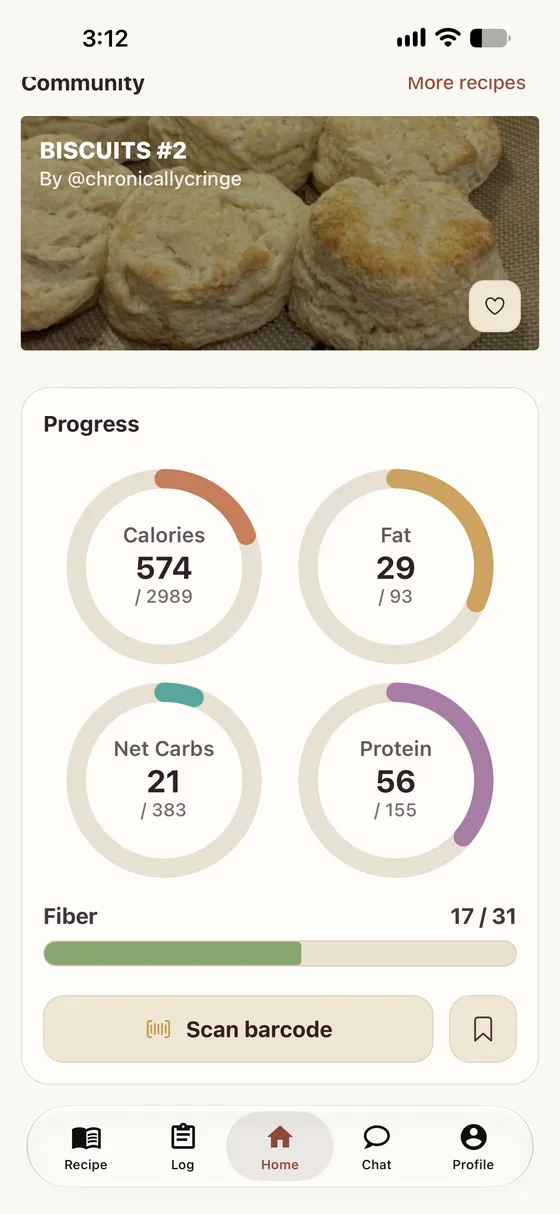
See how it lines up with the macros you have left
Home shows the calories, protein, carbs, and fat you have left today.
- 3
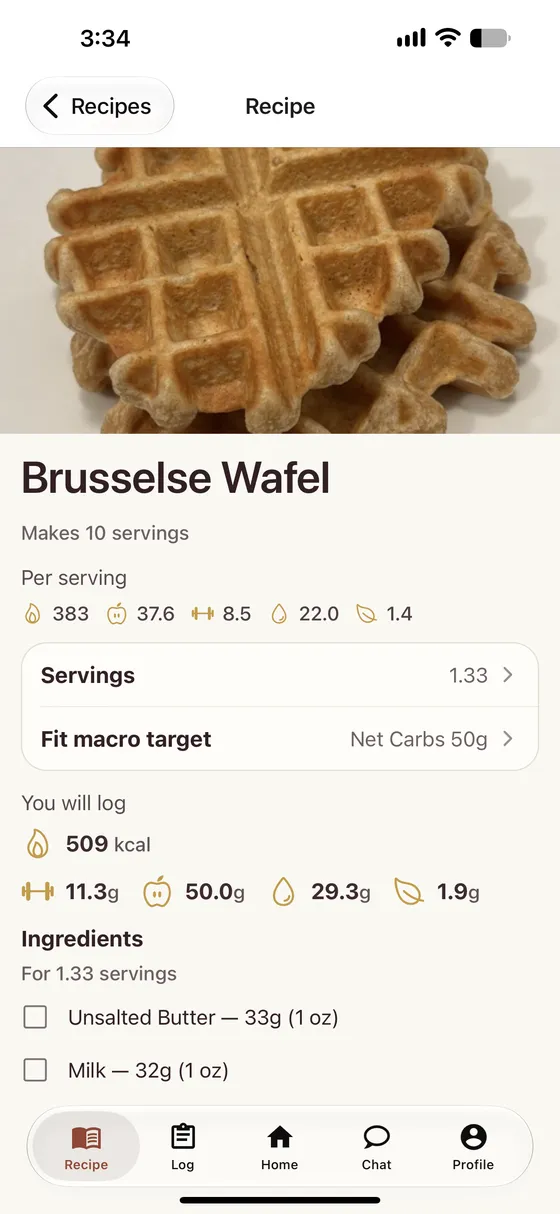
Adjust the recipe so dinner still fits your day
Tap Fit macro target to scale the serving to what you have left, or set servings yourself.
Tracking is free. Premium adds CraveBuddy.
Logging, barcode scanning, and recipes are free in CraveSmart. Premium removes ads and adds CraveBuddy, an assistant that logs food and drafts recipes for you.
Free
Everything you need to track your day. Eligible free users may see ads.
- Community recipesBrowse recipes other home cooks share, with macros per serving, and save your own editable copy.
- Net carbs by defaultFiber is subtracted for you, and fiber gets its own daily target.
- Barcode scanningScan packaged food and get a nutrition label you can edit.
- PantryBuilt-in USDA foods, your favorites, and what you logged recently, ready to add.
- Fit macro targetScale a recipe's serving to the macros you have left today.
- Apple HealthBring in your weight, steps, and energy burned to fill in your profile.
Premium
Everything in Free, with no ads.
- CraveBuddyTell it what you ate and it logs it. Describe a dish or send a photo of a recipe and it drafts the recipe with macros per serving.
- Recipe importPaste a link to a recipe page, a TikTok, or a YouTube video and get a recipe you can edit before you save it.
- Siri and Apple WatchSay “Hey Siri, track food in CraveSmart,” then what you ate, on your iPhone or Apple Watch.
Free calculators
Switching from MyFitnessPal? See how the free plans compare.
FAQ
How much does CraveSmart cost?
What is CraveBuddy?
Is it only for weight loss?
Do I need to meal prep?
Can I import recipes?
Where can I get CraveSmart?
Ready to make homemade meals fit your macros?
Download CraveSmart and start planning the homemade meals you love around your daily targets.

Scan with your iPhone camera